Apple Pay in DemirBank


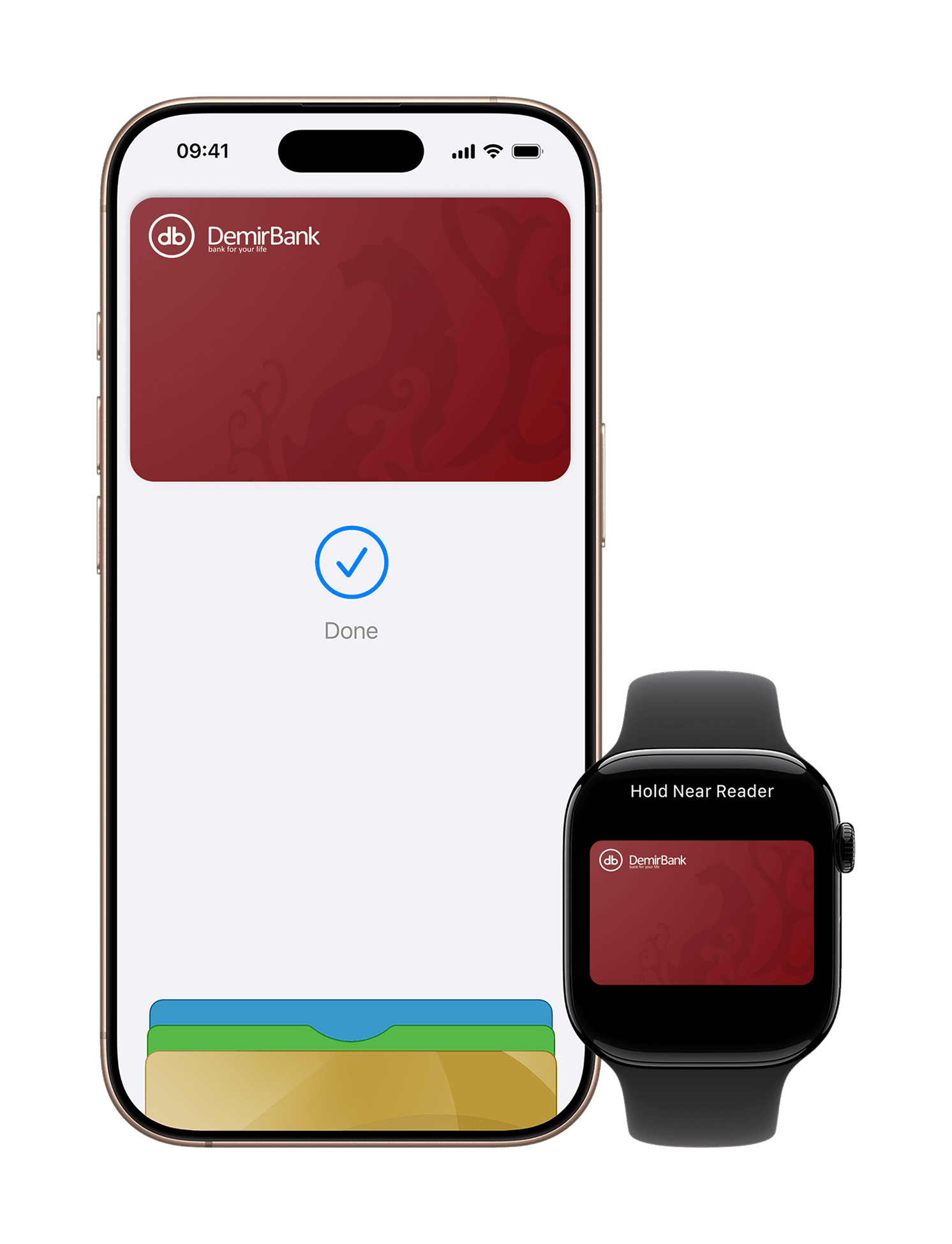
Apple Pay is now available for DemirBank cardholders!
One-Tap Pay
One-Tap Pay
One-Tap Pay
Private & Secure
Private & Secure
Private & Secure
Biometric Identification
Biometric Identification
Biometric Identification
Pay easily, securely, and quickly with Apple Pay — in stores, apps, and online. With Apple Pay, there’s no need to carry your card or enter card details when paying. Simply add your DemirBank card to Wallet and make payments using your iPhone, Apple Watch, iPad, or Mac.
Why Apple Pay
- Fast and convenient payments
- Secure and private transactions
- Pay with a single tap using Face ID, Touch ID, or your device passcode
- Works in stores, apps, and websites
Apple Pay Security
Security and privacy are at the core of Apple Pay. When you add your card to Apple Pay, your card number is not stored on your device or on Apple servers. Instead, a unique Device Account Number is created and securely stored in the Secure Element chip. Every transaction is authenticated using Face ID, Touch ID, or your device passcode, along with a unique one-time transaction code.
How to add your card to Apple Pay
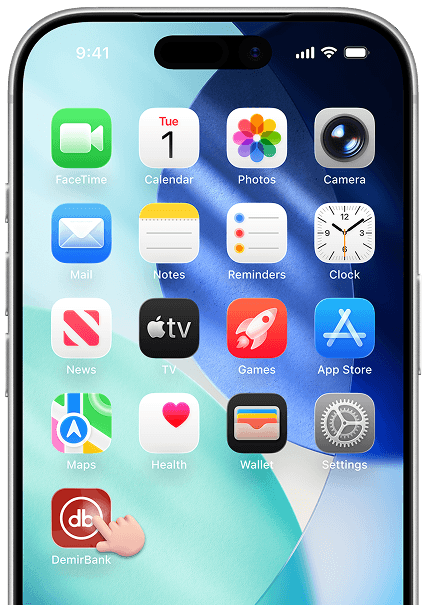
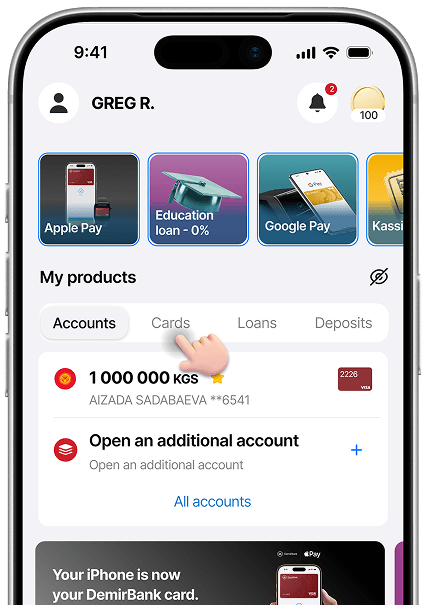
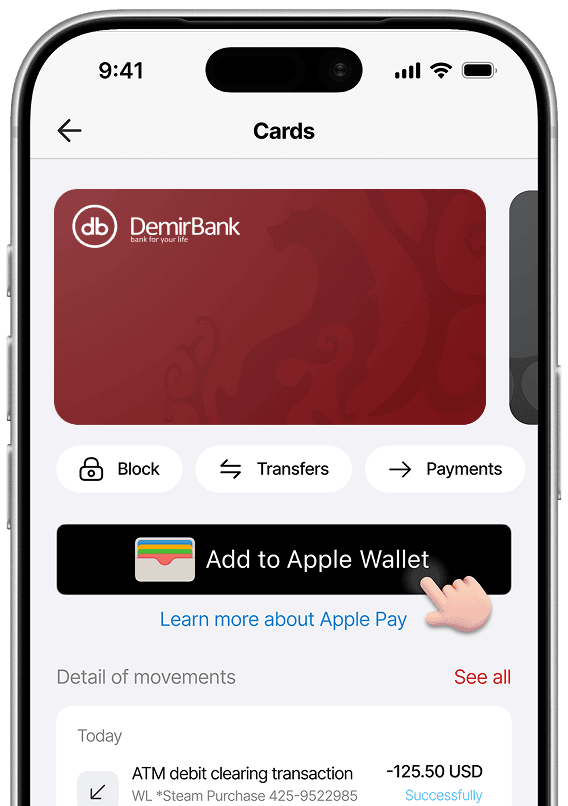
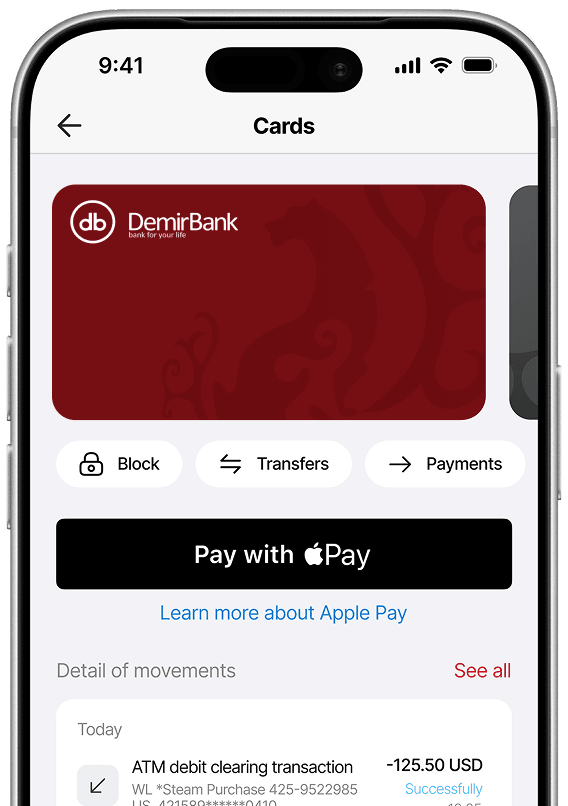
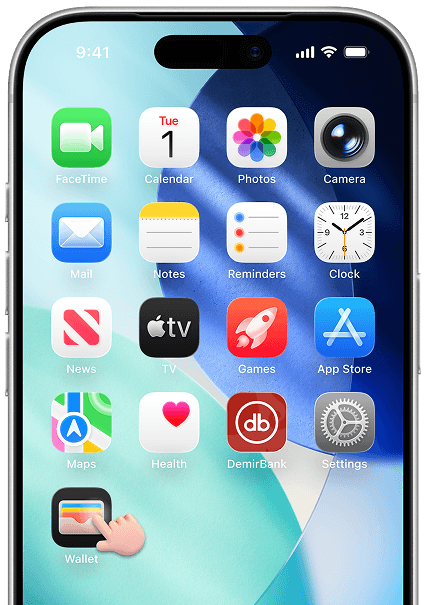
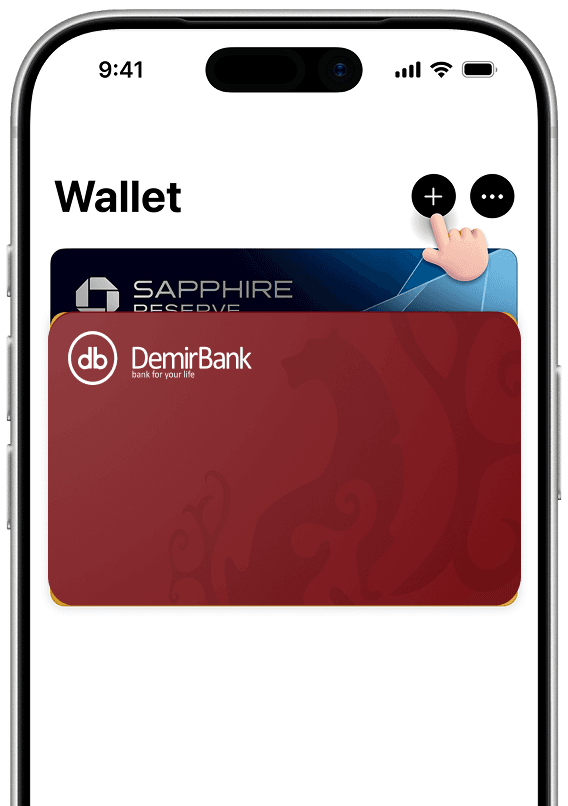
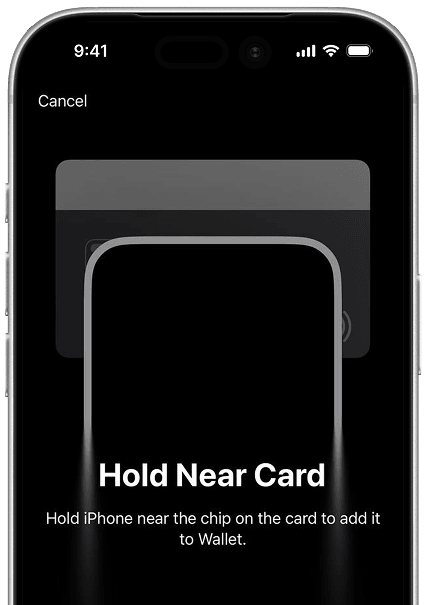
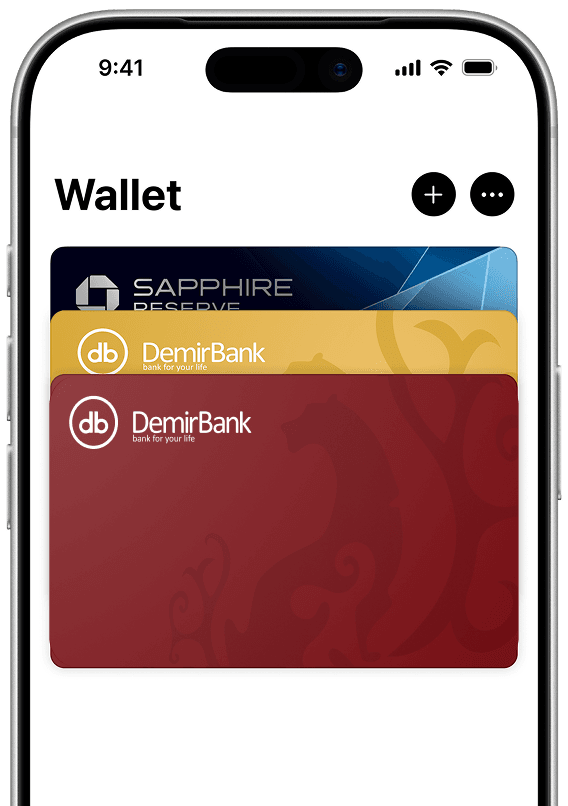
How to add a card
How to pay in stores using Face ID
What you need to add your card?
- To add your card to Apple Pay, make sure you have an active and eligible card linked to your account, the latest version of the banking app installed, and Face ID, Touch ID, or a passcode enabled on your device for security.
- You’ll also need a stable internet connection to complete the verification process. In some cases, additional identity verification may be required to protect your account and confirm card ownership.
Which DemirBank cards can I add to Apple Pay?
You can add Visa and Mastercard cards issued by DemirBank to Apple Pay.
Can I use Apple Pay outside of the Kyrgyzstan?
Yes. Apple Pay works in any country where Visa and Mastercard contactless payments are accepted and Apple Pay is supported. A list of countries and regions where Apple Pay is available can be found here: https://support.apple.com/en-us/102775
Is there a fee associated with using a DemirBank card with Apple Pay?
DemirBank does not charge any fees for adding or using Apple Pay. However, your card's standard fees, charges for certain transactions, spending limits, and currency conversion terms for purchases made abroad will continue to apply.
How do I make my DemirBank card my default card with Apple Pay?
On your device, open Settings > Wallet & Apple Pay, select Default Payment Card, and choose the DemirBank card you want to use as your default payment card.
Can I lock Apple Pay?
Yes. If you block your physical card through the DemirBank mobile app or by contacting the bank's Contact Center, all Apple Pay tokens linked to that card will be automatically blocked.
How do I make returns with purchases I’ve made using Apple Pay?
Refunds for purchases made with Apple Pay are processed in the same way as refunds for purchases made with a physical card. Contact the merchant and follow the standard refund procedure. The funds will be returned to the card that was used for the Apple Pay payment.
What happens when my card is replaced?
If your card is reissued, the card information in Apple Pay is updated automatically, and you do not need to add the card again. If your previous card has been closed (cancelled) and a new card has been issued instead, you will need to add the new card to Apple Wallet.