"Standard" Time deposit
Advantages

Deposit Protection Agency
The agency provides guarantees and insures financial interests
Deposit Protection Agency
The agency provides guarantees and insures financial interests
Deposit Protection Agency
The agency provides guarantees and insures financial interests

Discounts and Bonuses
The possibility of receiving discounts and bonuses with a credit card
Discounts and Bonuses
The possibility of receiving discounts and bonuses with a credit card
Discounts and Bonuses
The possibility of receiving discounts and bonuses with a credit card

Visa cards as a gift
International credit card Visa Classic, Visa Gold, Visa Platinum - as a gift
Visa cards as a gift
International credit card Visa Classic, Visa Gold, Visa Platinum - as a gift
Visa cards as a gift
International credit card Visa Classic, Visa Gold, Visa Platinum - as a gift

Credit card collateral
Your opened deposit serves as collateral for the credit card
Credit card collateral
Your opened deposit serves as collateral for the credit card
Credit card collateral
Your opened deposit serves as collateral for the credit card
Deposit terms
| Term of the deposit | Up to 36 months | ||
| Deposit currency | Som, US dollars, and Russian rubles | ||
| Minimum deposit amount | |||
| opened at a bank branch | 5,000 som | 100 USD | 5,000 RUB |
| оpened via Internet/Mobile Banking | 2,500 som | 50 USD | 2,500 RUB |
| Replenishment | not provided for | ||
| partial withdrawal | not provided for | ||
| Payment of interest | monthly or at the end of the term | ||
| Capitalization of interest | not provided for | ||
Annual interest rates
| Months | Soms | US dollars | Russian rubles |
|---|---|---|---|
| 1 - 3 | 1,5% | - | 7,5% |
| 3 - 6 | 3,5% | 0,5% | 7,5% |
| 6 - 9 | 5,5% | 1,5% | 9,5% |
| 9 - 12 | 7,5% | 2,0% | 9,5% |
| 12 - 18 | 12,5% | 2,5% | 11,5% |
| 18 - 24 | 12,5% | 2,5% | 9,5% |
| 24 | 13,0% | 2,75% | 7,5% |
| 36 | 13,0% | 3,0% | 4,5% |
- The effective interest rate is equal to the stated rate
Deposit calculator
1 month
1 %
%
The calculator's calculation is preliminary.
Personal terms will be available after submitting an application
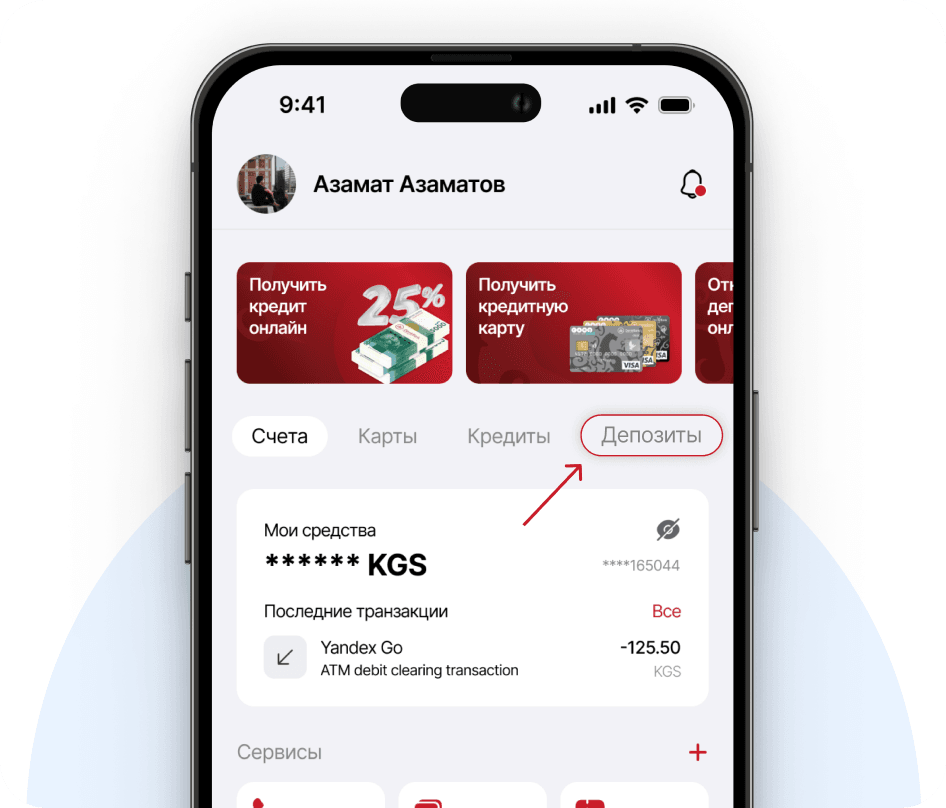
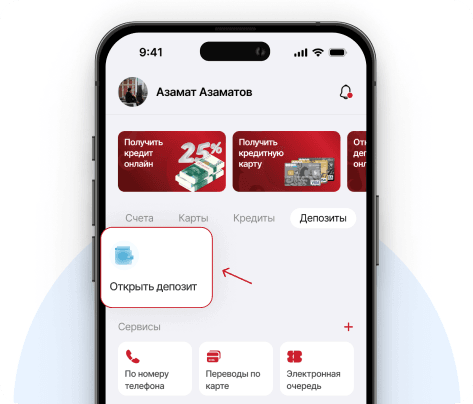
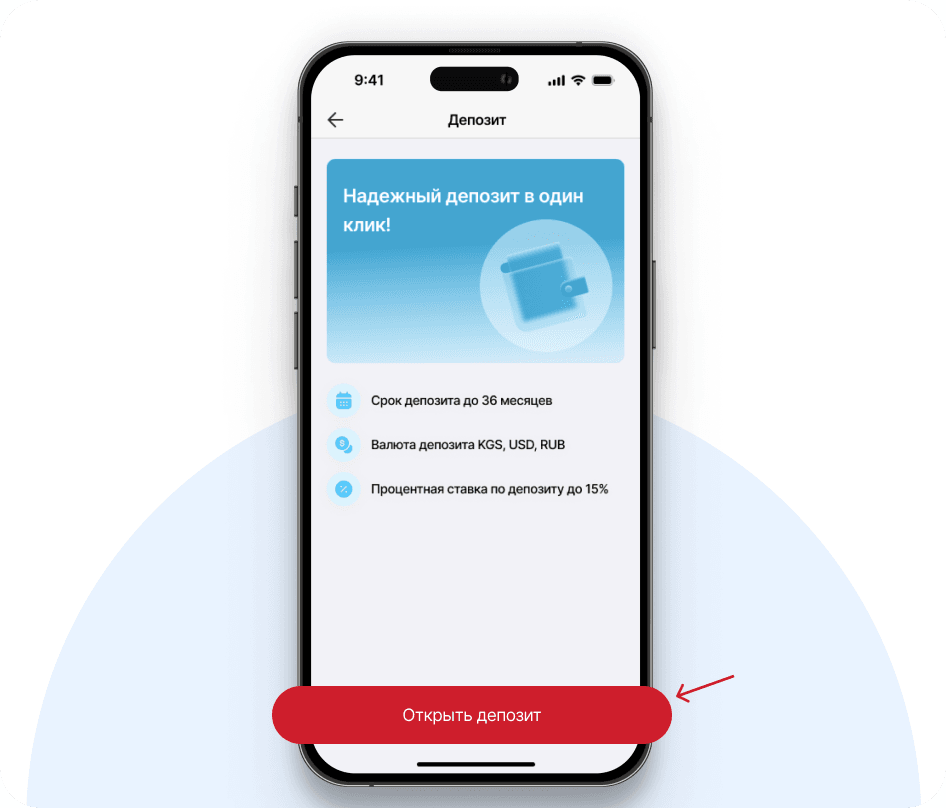
How to open a deposit in the mobile app
STEP 1
Log in to the mobile application and select the 'Deposits' section
STEP 2
Click 'Open Deposit'
STEP 3
Familiarize yourself with the terms
STEP 4
Enter the deposit details. Click 'Continue'.
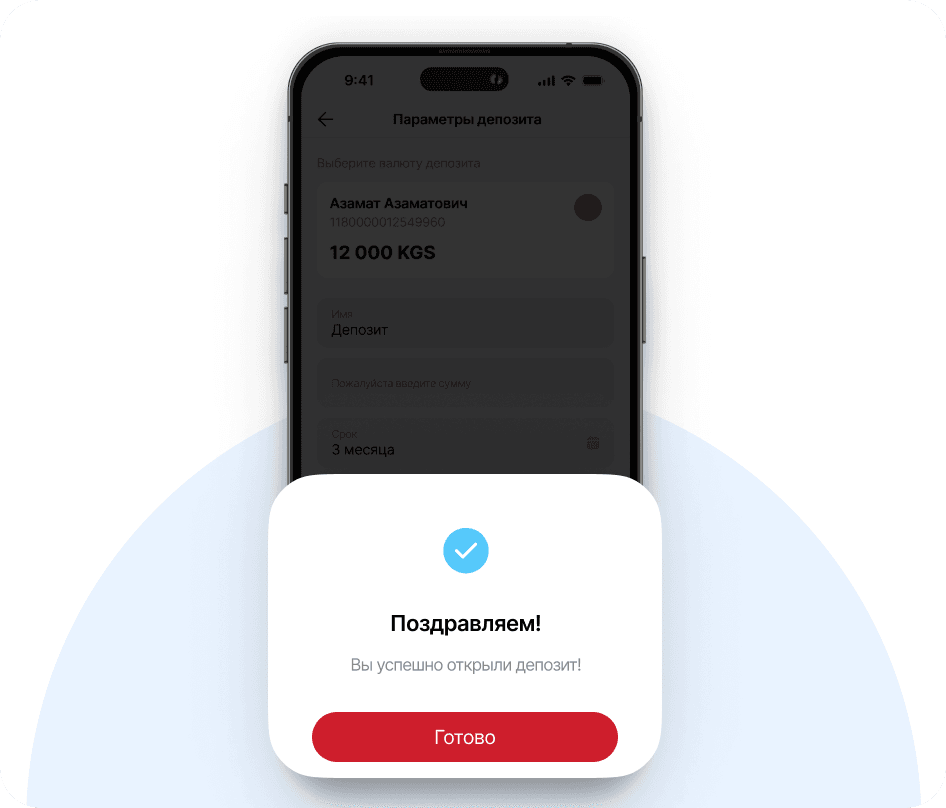
READY
Congratulations! You have successfully opened a deposit!
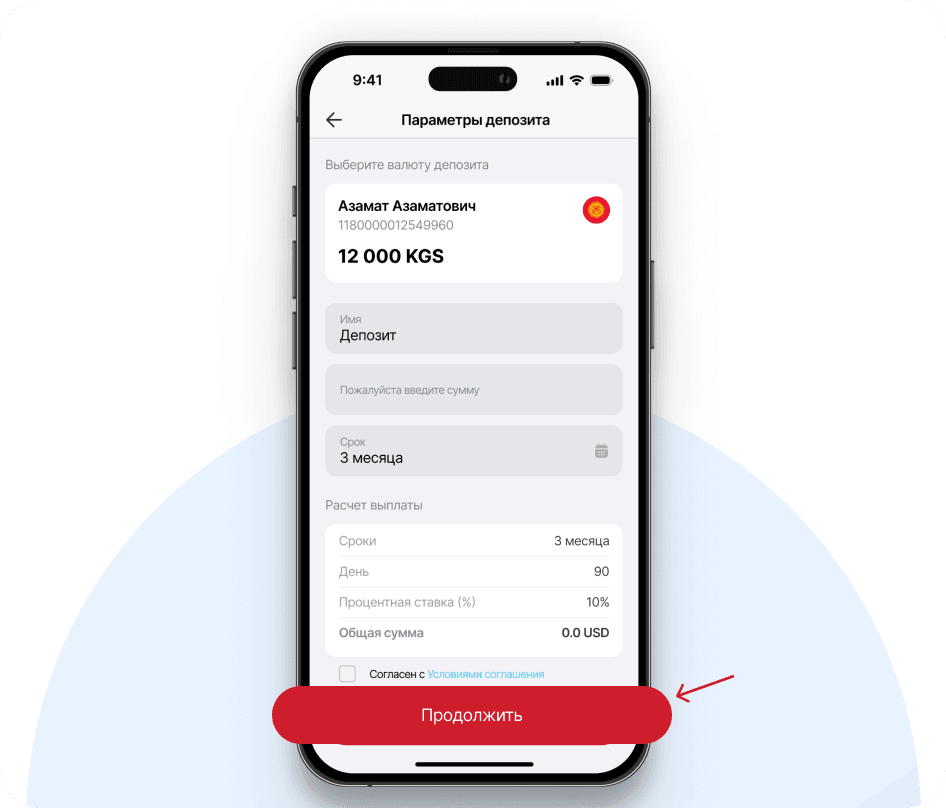
* Opening a deposit via Internet/Mobile Banking is only possible for the Time deposit "Standard" with interest paid at the end of the term. To open a deposit with monthly interest payments, you need to visit any branch of the Bank