Deposits
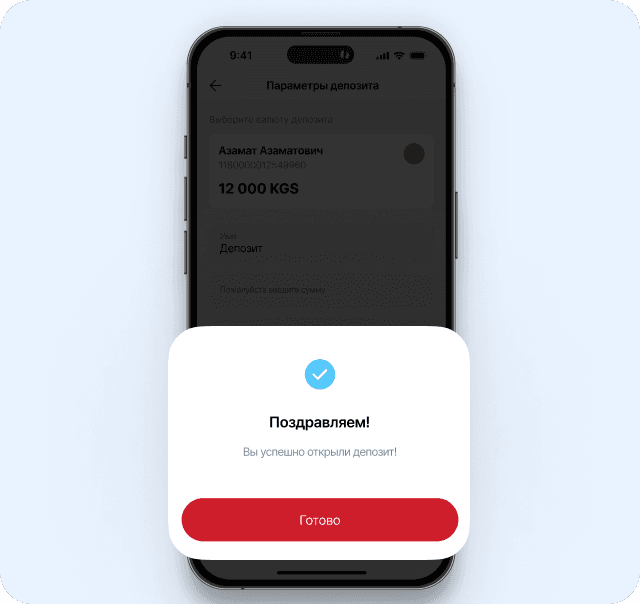
How to make a deposit in the Mobile Banking
- Log in to the mobile app and select the “Deposits” section
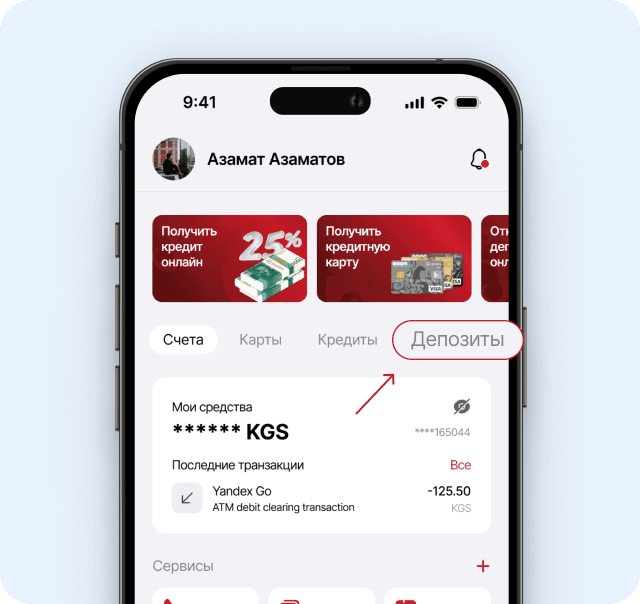
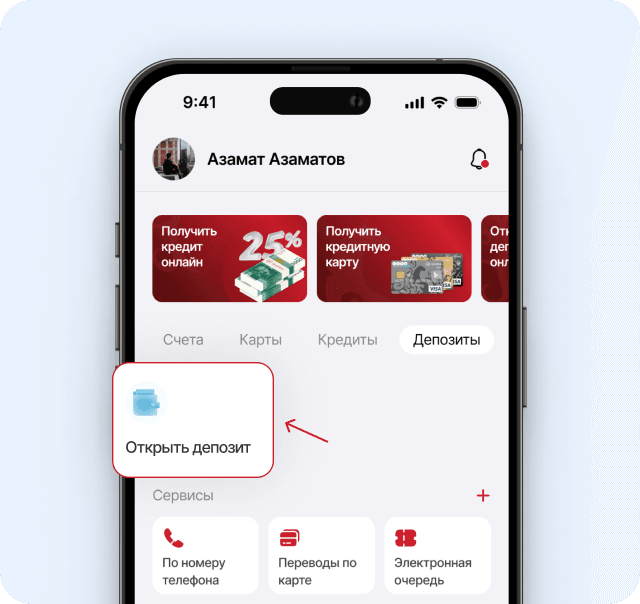
- Click “Open a Deposit” button
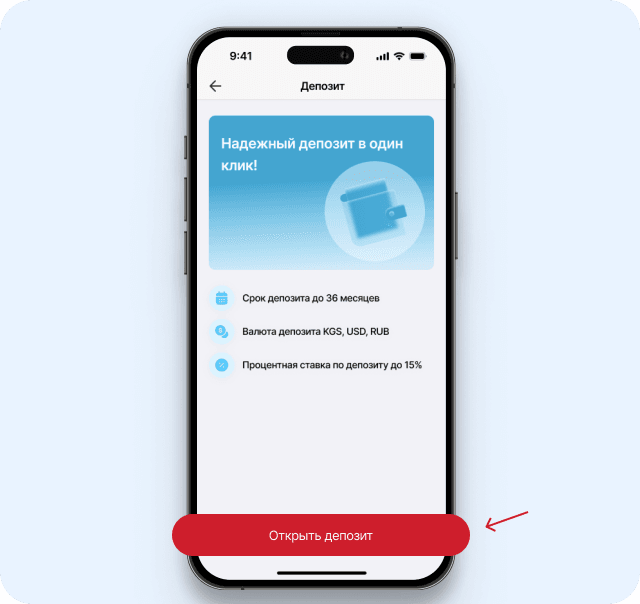
- Review the terms and conditions
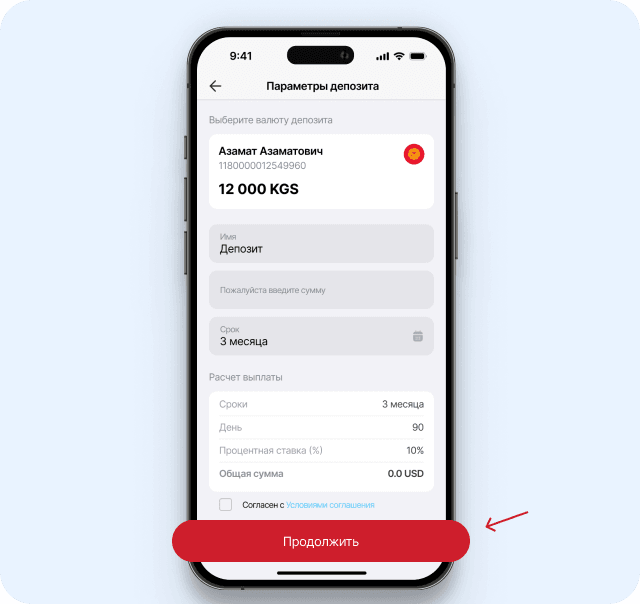
- Enter the deposit details. Click “Continue”.
- Congratulations! You have successfully opened a deposit!
How to make a Deposit without visiting the Bank branch? *
Increase your funds - use the Standard Fixed-Term Deposit from DemirBank!
- Log in to DemirBank Internet Banking and select the “Accounts” section.
- Select the “Opening” menu item.
- Select the appropriate currency and click “Next”.
- Enter the deposit details. Click “Open”.
- Congratulations. The deposit is open!
* Deposits can be made with use of the Internet Banking only for Standard term deposit with interest payment at the end of the term.
To make a deposit with monthly interest payment, you must contact any branch of the Bank.
Deposit rates for individuals
Deposit Protection Agency

The Deposit Protection Fund (hereinafter referred to as the Fund) is a fund created through contributions and managed by the Agency under the terms and in the manner specified by the Kyrgyz Republic Law “On Protection of Bank Deposits”.
The target value of the Deposit Protection Fund is the target indicator of the Fund’s size, sufficient to ensure financial stability and prevent a deficit of the Fund’s financial resources in case of a guarantee event.
To determine the size of the Fund and contributions of member banks, the data provided by commercial banks on the structure of deposits of individuals (both residents and non-residents) with the bank, on balances on deposit accounts (including deposits in a foreign currency) and on the number of depositors (clients) are used. In this case, the total number of depositors (clients), including account holders with zero balances, is taken into account. If a depositor has more than one account with one bank, the funds in these accounts are summed up and considered as one account.
The amount of deposits of individuals used for settlements consists of the amounts in deposit accounts of individuals.
A guarantee event is the National Bank’s revocation of a license from a bank, microfinance company or housing and savings credit company in compliance with the Kyrgyz Republic Law “On banks and banking activities” and legislation regulating activities of housing and savings credit companies.